
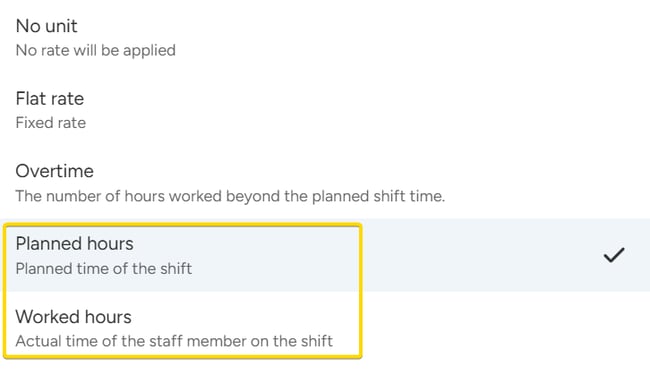
Worked hours
The system uses the real attendance, from the arrival time to the departure time.
- Unpaid breaks are not counted.
- In open shifts, there is no confirmed attendance yet, so the planned times are used.
- In closed shifts, the real attendance is used.
Example: Planned 8 hours, staff member worked 6 hours, €20 per hour → €120.
Planned hours
The system uses the planned length of the position, no matter how long the staff member really worked. Unpaid breaks are not counted.
Example: Planned 8 hours, staff member worked 6 hours, €20 per hour → €160.
Which one should I use?
Whether you choose Worked hours or Planned hours depends on how you handle the difference between the planned shift and the time actually worked, and how you charge for overtime. Read more about overtime management here.
Use Worked hours when:
- You pay or charge for the real worked time.
- You don't need to keep detailed track of planned hours.
- You charge overtime as a supplement on top of the regular rate, not as a separate rate.
Use Planned hours when:
- You agreed a fixed booking with the client.
- You want the booked amount, even if the shift ends early.
- You charge hours not originally booked (overtime unit) at a different rate.
- You need clear separation in financial reports of booked and overtime hours.
You can use both in the same ratelist, as long as the result calculates the way you need. For example, you can use Worked hours for one profession and Planned hours for another.
Good to know
- If the staff member did not attend the shift at all, no rates are calculated.
- If the attendance has zero worked time (for example, a standby who did not work), only Flat rate rules are calculated. Hourly rules give nothing.