
Staff conditions are available in wagelists and transport wagelists only. Client prices never depend on who does the work.
Rating
Uses the staff member's rating. Great for pay levels connected to seniority.
Example:
- Rating > 90 → €25 per hour
- Else rule: Rating > 80 → €23 per hour
- Else rule: Always apply → €21 per hour
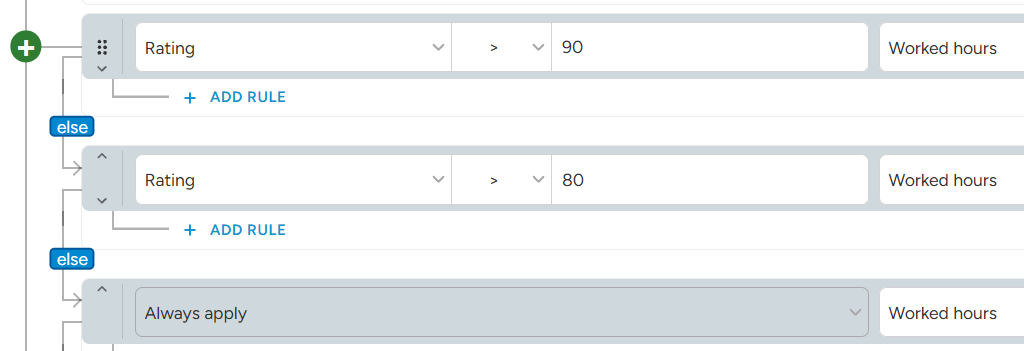
Combine rating groups with Else rules, so only one rate is used.
The system uses the rating the staff member had at the start of the shift. If the rating changes later, the shift keeps the rate from the original rating.
Contract
Uses the staff member's contract type.
Example:
- Contract Any of Employee, Part-time → €18 per hour
- Contract = Freelancer → €22 per hour
A staff member can have more than one valid contract. With Any of, the rule applies if at least one of their contracts is in the list. With None of, the rule does not apply as soon as one of their contracts is in the list.
Badges
Uses badges in the staff member's profile. Badges are great for seniority or special skills.
- Badges without ranks: use Has or Does not have.
- Badges with ranks: compare the rank (Newbie, Advanced, Experienced, Expert, Master) with =, ≥ or <.
Example:
- Badge "Forklift licence" Has → €2 per hour bonus
- Badge "Rigging" ≥ Expert → €3 per hour bonus
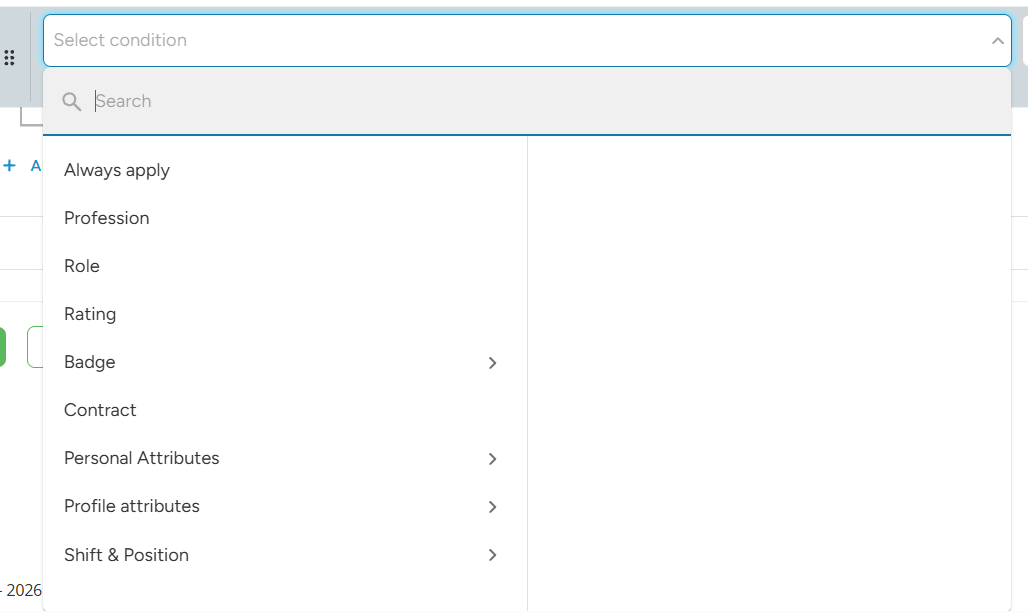
To find a badge in the condition list, open Badge and then the badge category, for example "Skills". The badges are listed under the category they belong to in your badge settings.
Profile and personal attributes
Uses any field from the staff member's profile, such as certificates, languages or skills.
The operators depend on the type of the field:
- Yes / No: Has, Does not have
- Choice, multiple choice, country: =, Not Filled
- Number, range: =, ≥, ≤, Not Filled
- Other (text, date...): Has (is filled), Not Filled
Example:
- Attribute "Language: German" Has → €1 per hour bonus
To find an attribute in the condition list, open Profile attributes or Personal Attributes and then the profile block (section) the attribute belongs to.
For badges, contract and attributes, the system uses the data in the staff member's profile at the moment the shift is calculated. If you change a badge or attribute later, shifts that are already closed are not recalculated automatically.