
How it works
You set a band: Duration from and Duration to, in hours. The unit counts only the worked hours inside that band.
- From 0 to 8 → the first 8 hours of the shift.
- From 8 to 12 → the 9th to the 12th hour.
- From 12, with Duration to left empty → everything after the 12th hour.
The hours are counted from the start of the attendance. During an unpaid break the counting stops and continues after the break, so the band starts later. A paid break counts as work.
If the shift is shorter than Duration from, the unit counts nothing.
The unit looks at one shift only. It does not add up other shifts on the same day. To count all shifts of a day or week, use Daily Overtime or Weekly Overtime.
How to set it up
- On the Units tab, click Add custom unit.
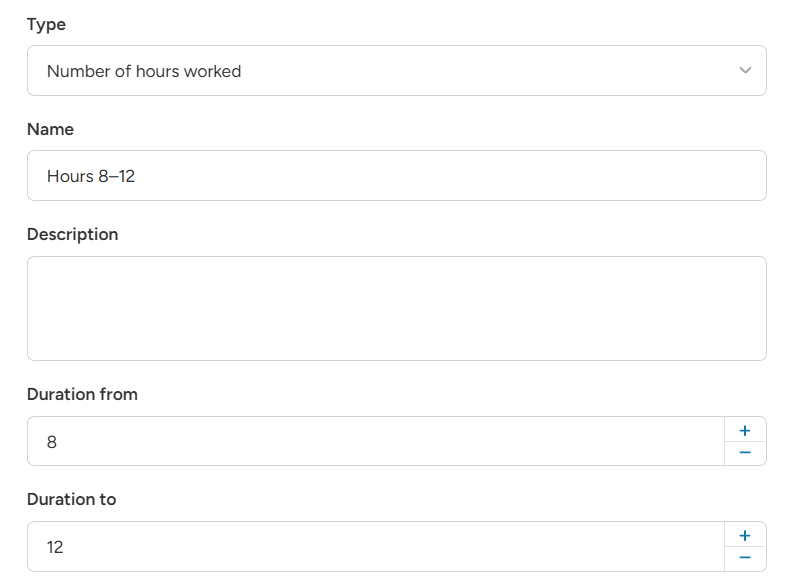
- Choose the type Number of hours worked and enter a name, for example "Hours 8–12".
- Enter Duration from, for example 8.
- Enter Duration to, for example 12. Leave it empty for no upper limit.
- Click Save.
Create one unit for each band you need.
Example: rates that change with the length of the shift
- Rule 1: Always apply → "Hours 0–8", €20 per hour.
- Rule 2: Always apply → "Hours 8–12", €25 per hour.
- Rule 3: Always apply → "Hours 12+", €30 per hour.
A 14-hour shift:
- 8 × €20 = €160
- 4 × €25 = €100
- 2 × €30 = €60
Total: €320.
You can also keep Worked hours for the base and add only the extra as a percentage:
-
"Hours 8–12" at 25% of "Basic Hour Wage".
-
"Hours 12+" at 50% of "Basic Hour Wage".
Good to know
- The bands should not overlap, otherwise the same hour is paid twice. Use 0–8, 8–12, 12+.
- The unit works in all ratelist types.