When staff member is assigned on the shift and situation changes and they can no longer work on the shift, they have to be signed-off out of the shift.
There are two ways how staff member can be removed from the shift:
Sign off by staff member
- Staff members can sing themselves off the shift directly in their account within the preset time limit before the scheduled start of the shift. After this limit self-sign-off is no longer possible in staff member account.
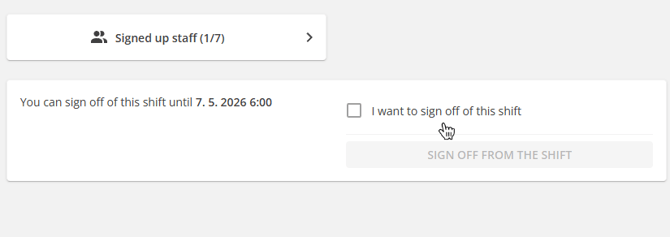
- This sign-off time limit is configured globally within the Agency Settings and can be also changed on each shift manually.
- Locked shifts: Staff members can not sign off from a locked shift by themselves regardless the time limit.
💡Instant sign-off - when staff member sign up for a shift, there is very short time window during which they can immediately sign off of the shift in case it was done by mistake. This time limit is configured in Agency Settings.
Staff member sign-off by admin
When admin is removing staff member from the shift, there are 3 options:
- Regular sign-off without any conditional penalty or category.
- Sing-off with a conditional penalty in the form of a financial penalty or rating deduction unless reasonable excuse is provided within deadline.
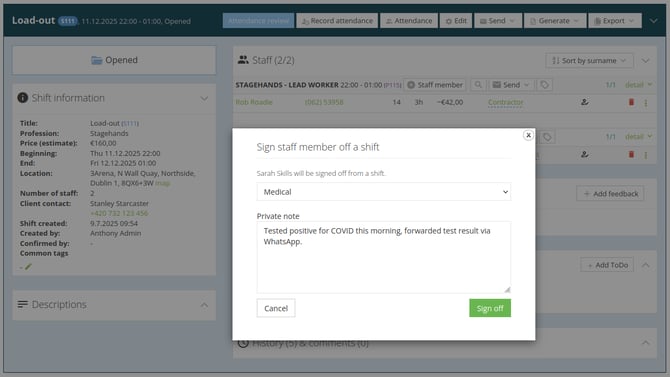
- Sing-off categorised under one of the sign-off types with an optional private note.
Sign-off types
- In Settings → Staff → Sign off types define your own sign-off types, such as 'Late cancellation', 'Medical' or others.
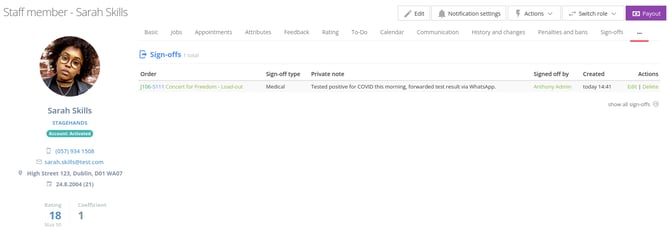
- This sign-off system brings formal, auditable tracking to the process of removing staff members from shifts. Each recorded sign-off captures name of staff member, the shift, the chosen type, creating a clear paper trail.