
What is an operator?
Every condition has three parts:
Subject (what is checked) + Operator (how it is compared) + Value (what it is compared to).
Example: Profession Any of Stagehand, Rigger.
The system offers only the operators that make sense for the selected subject. When you open the operator list, each operator has a short description under it.
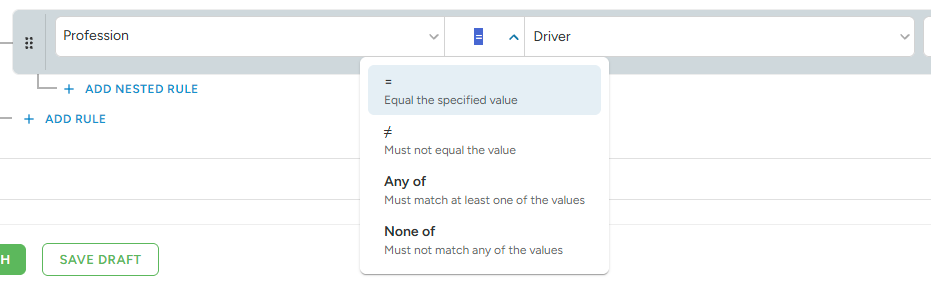
Matching operators
Used for profession, role, contract, payout method and transport direction or role.
- = matches exactly one value. Example: Role = Standby.
- ≠ matches everything except this value. Example: Profession ≠ Driver.
- Any of: matches at least one of the selected values. Example: Profession Any of Stagehand, Rigger.
- None of: matches none of the selected values. Example: Contract None of Freelancer, Student.
A staff member can have more than one valid contract, for example Employee and Freelancer. The system checks all of them:
• Contract Any of Freelancer → the rule applies, because one of the contracts is Freelancer.
• Contract None of Freelancer → the rule does not apply, because one of the contracts is Freelancer. The rule is skipped, and the Else rule is used if there is one.
Number operators
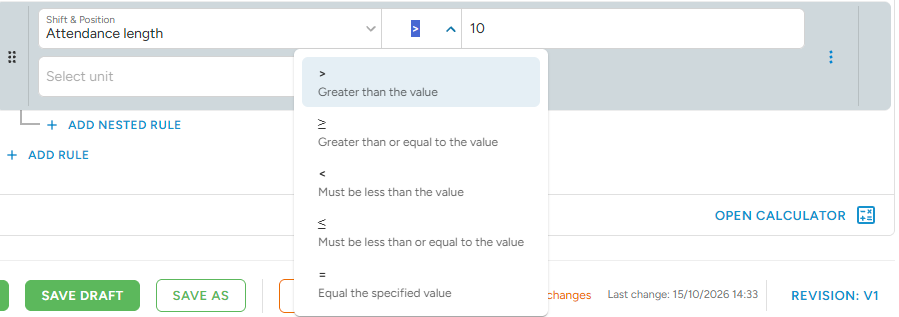
Used for rating, shift size, position size, attendance or position length, and transport distance or duration.
- = exactly this number.
- > more than this number (the number itself does not count).
- ≥ this number or more.
- < less than this number (the number itself does not count).
- ≤ this number or less.
Example: Attendance length > 10 → a shift of exactly 10 hours does not match. Use ≥ 10 if it should.
Presence operators
Used for badges and attributes.
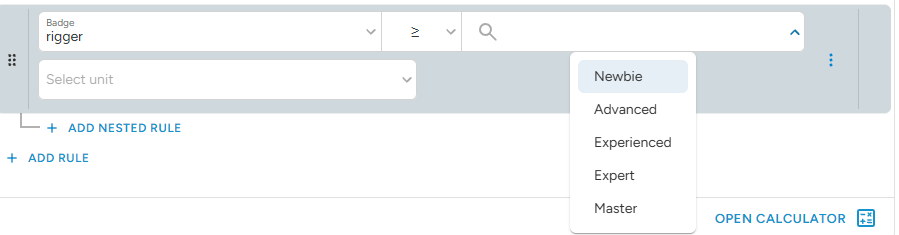
- Has: the staff member has this badge or this attribute is filled in.
- Does not have: the staff member does not have this badge or attribute.
- Not Filled: the attribute is empty in the staff member's profile.
For badges with ranks and for number or choice attributes, you can also compare the value, for example Badge "Rigging" ≥ Experienced.
Time operators
Used for beginning and overlap conditions.
- Any of: the time falls into one of the set time windows.
- None of: the time falls outside all of the set time windows.