
What a component has
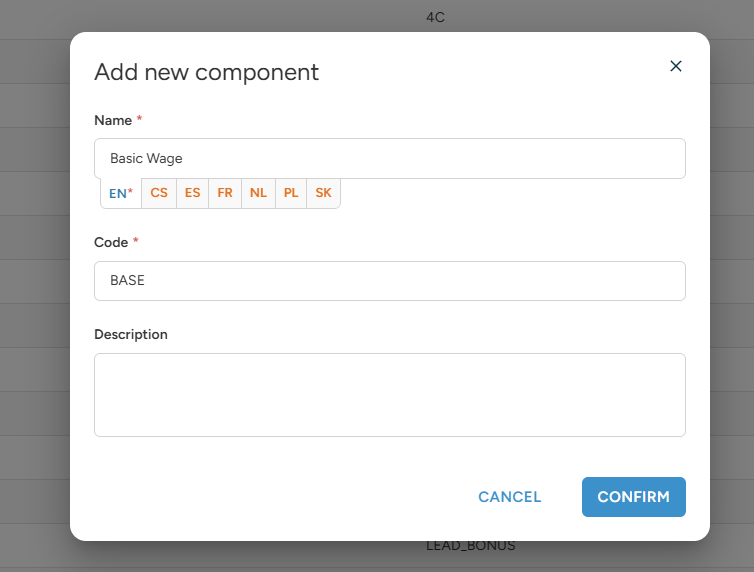
When you create a component (in the rule, choose Add new component, or go to the Components tab), you fill in:
- Name: what people see on payslips, wallet records, invoices and PDFs. You can enter the name in more languages.
- Code: what machines read, for example payroll or accounting software and the API. The code can have up to 20 characters.
- Description: an internal note for your team.
Make the code machine readable
- Use capital letters, numbers and underscores only, for example BASE_WAGE, NIGHT_BONUS, OT_150.
- Do not use spaces, accents or special characters.
- Give every component its own code. The system does not stop you from using the same code twice, but your exports and integrations could mix the two up.
- Keep the code stable. If your payroll or accounting system maps codes, changing a code breaks that mapping.
- Agree on the codes with whoever runs your payroll or accounting, before you start building ratelists.
Write names people understand
- Name the component by what it pays for, not how it is calculated: "Night bonus" instead of "Rule 4 – 50 %".
- Keep names short. They appear in narrow columns on payslips and invoices.
- If your staff or clients speak other languages, add the name in their language too. The system shows the right language automatically.
Keep staff and client components separate
Wagelists (what you pay) and pricelists (what you charge) are read by different people:
- Staff components (wagelists) appear on payslips, in the wallet and in payroll exports. Name them for staff, for example "Night bonus".
- Client components (pricelists) appear in calculations, price quotes, invoices and accounting. Name them for clients, for example "Night surcharge".
Use separate components for the two if needed. You can then change the wording, reporting or accounting for one side without touching the other.
A simple naming pattern helps, for example codes starting with W_ for wages and P_ for prices: W_BASE, P_BASE.
One component per type of rate
- Give each kind of rate its own component: base pay, night bonus, weekend bonus, overtime, flat bonus.
- Do not reuse the base component for a bonus. You would not be able to tell them apart in exports.
- The same component can be used in many rules. For example, "Base wage" can be used for every profession, so exports show one total for base pay.
Archive instead of delete
- A component that is already used in a ratelist cannot be deleted. Archive it instead.
- An archived component stays in the ratelists that already use it, but it is no longer offered when you build new rules.
- You can unarchive it at any time to offer it again.