The notification about newly published shifts are sent automatically the form of push notifications from an order level.
How it works:
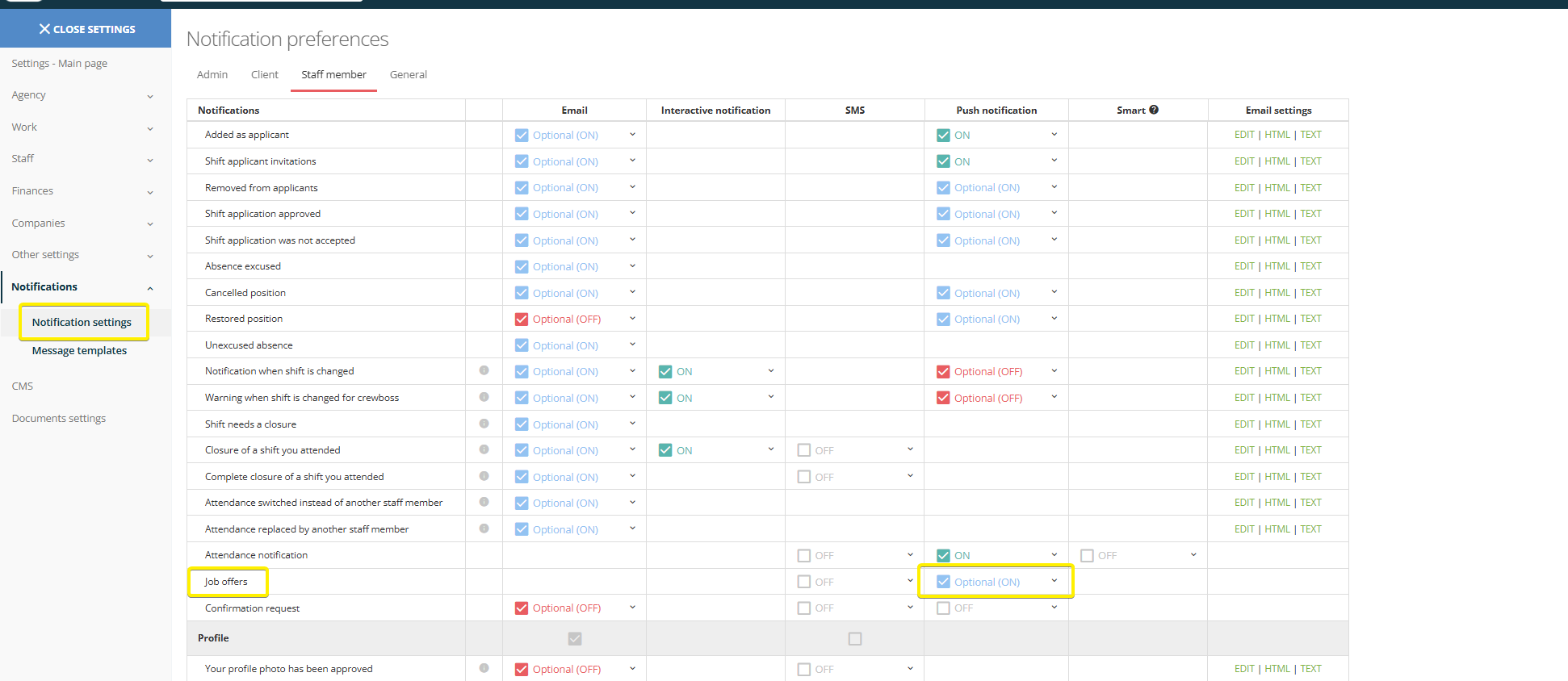
1. Turn on the notification in Notification settings > Staff member section.
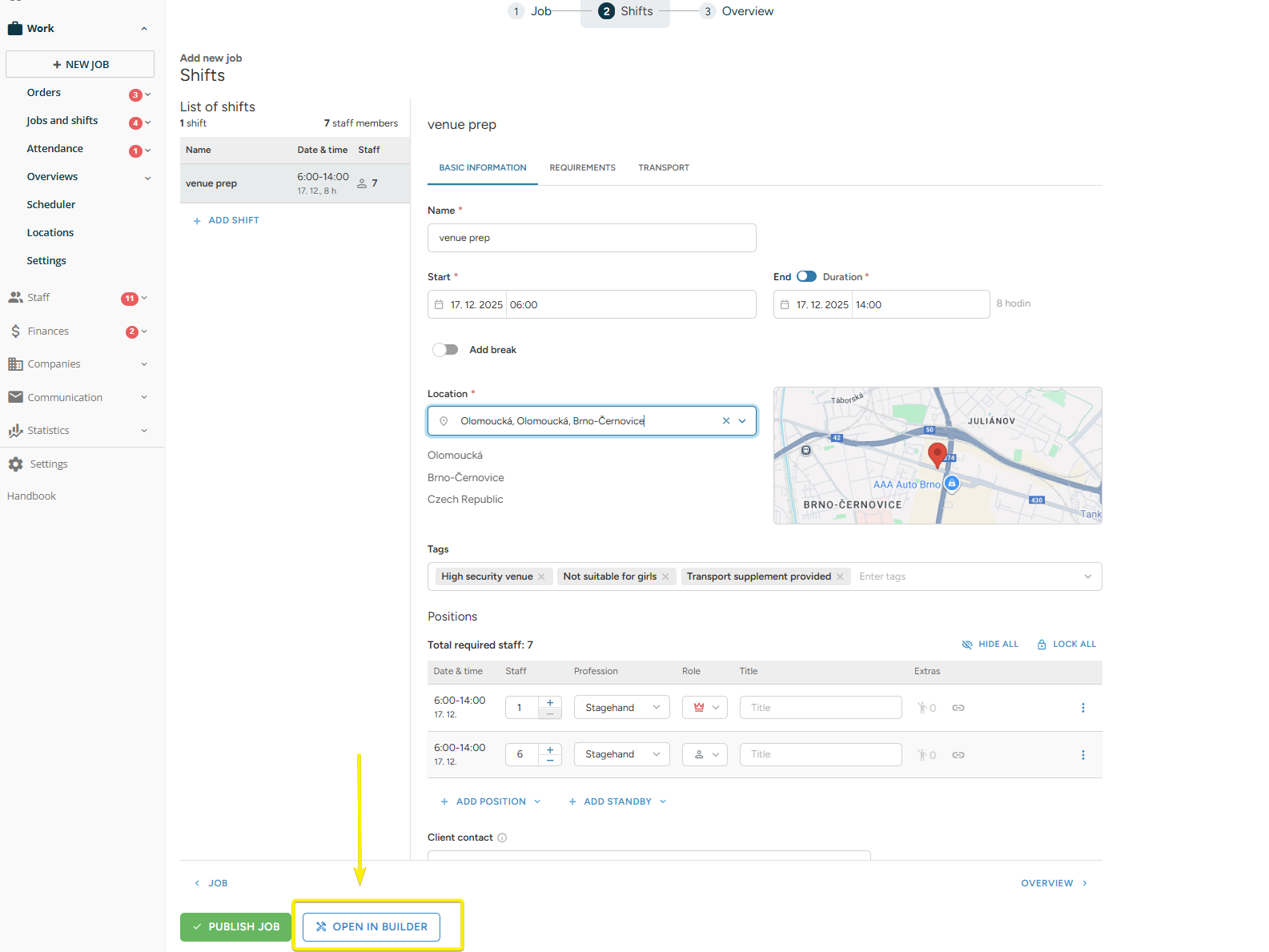
2. When placing a new order from a +New job form, enter the builder.
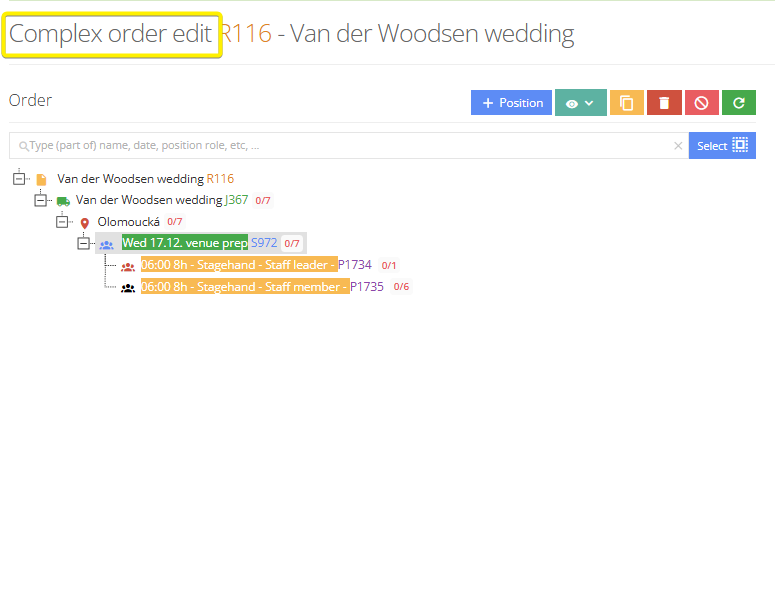
❗It is important that you are on the Complex order edit as it can be sent only when placing a new order.
3. Once you are ready to Publish the new order with shifts, click on the arrow bottom and select the option to Publish and announce.

4. In the new window you can select the list of reciepients so you can announce the shift only to specific staff members. You are filtering the staff members by requirements.
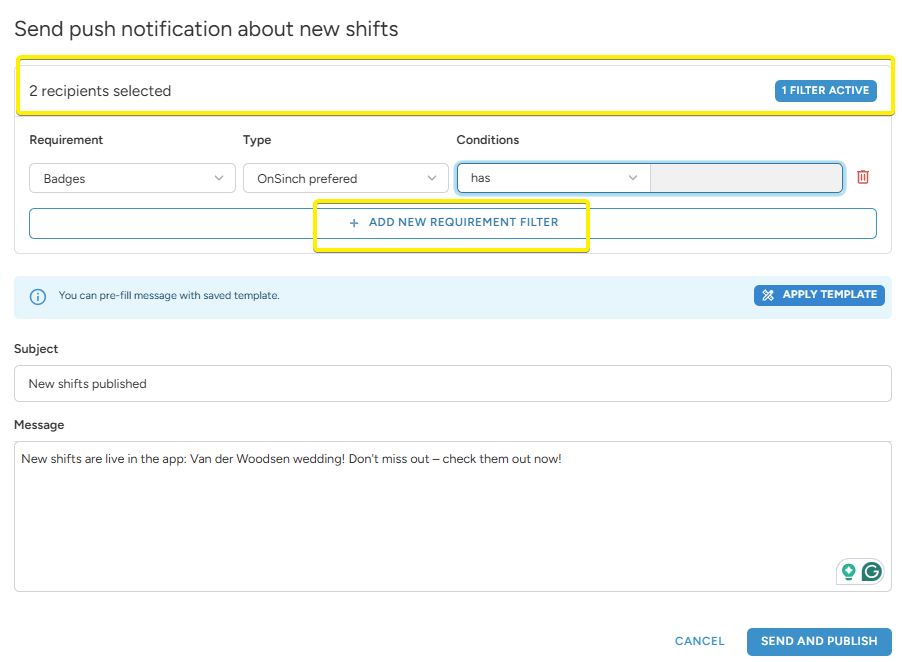
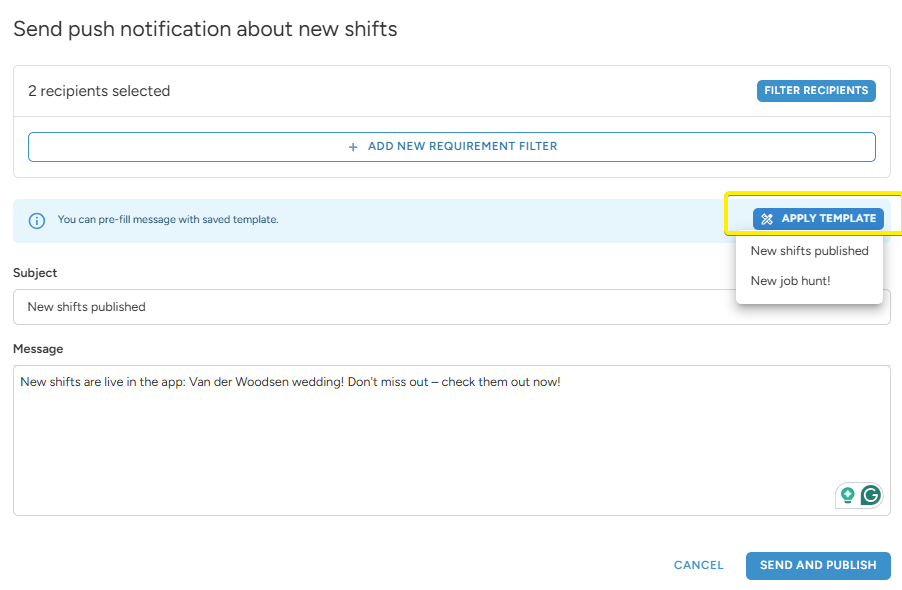
💡To make the process easier, prepare a message template and apply it for the message.
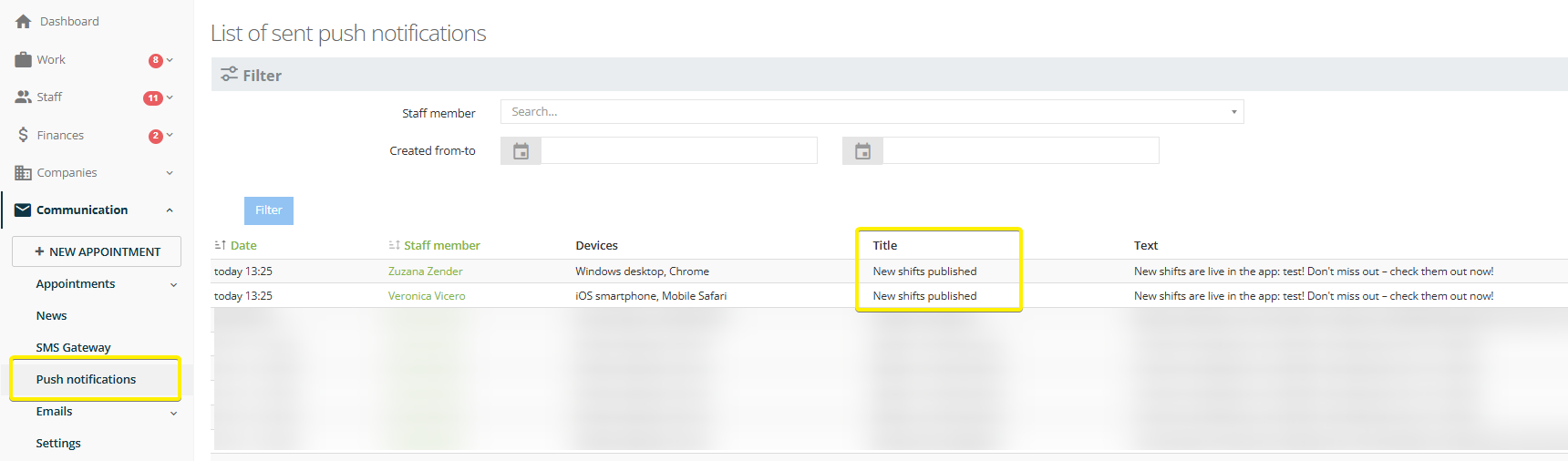
Where to check the sent notifications:
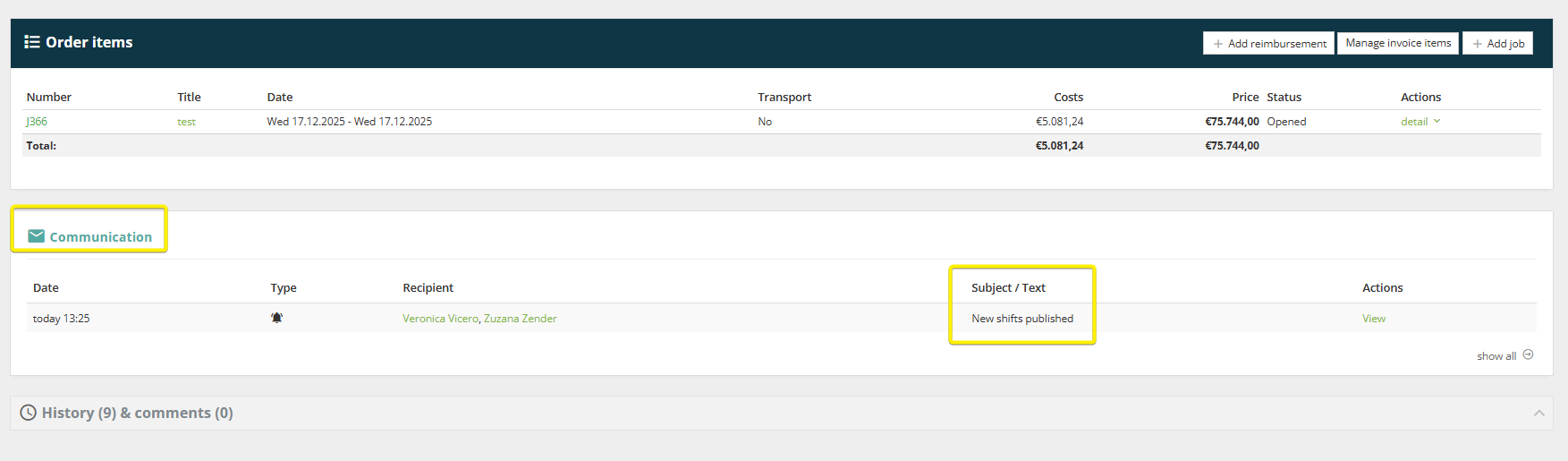
1. Order communication
The sent notifications are recorder on the order page in the communication section.
2. Push notification section in menu
In menu > Communication setion > Push notifications you can use the filters to search for specific sent notification.